

Arch Linux on MacBook Pro
Based on the way some people talk about Arch Linux I may be a glutton for punishment. Fortunately for me though, this proved not to be as difficult as you may expect. If you are unaware the distro of Arch Linux has a reputation for being difficult to install. Add in that this was going on a Mac makes it a bit more complicated.
This is not a tutorial and more of a discussion of my notes while setting this up.
To start I needed to make space for an additional operating system. Apple in their infinite wisdom had their operating system take over as much as it could of the drive and not allow for resizing of the disk. This required a more scorched earth approach than I originally had planned. I cleared off all my information and reformatted the drive, this time limiting the space available for the operating system so two OSs could live on the machine comfortably.
Once I had the space available I booted to the USB drive with the Arch installer. Which of course brings you to a terminal with not so much as a good luck message. From here we have to make some partitions for the OS, boot, and swap to live.
parted /dev/sda
mkfs.vfat -F32 /dev/sda3
mkfs.ext4 /dev/sda4
mkswap /dev/sda5
swapon /dev/sda5
We’re now ready to start the actual installation of Arch Linux. Mount your new ext4 system partition to “/mnt”, which is the installers location for new systems.
mount /dev/sda4 /mnt
And mount the boot-partition to the boot-path of your new system.
mkdir -p /mnt/boot
mount /dev/sda4 /mnt/boot
Now the actual installing-part is pretty easy. The following command installs all packages contained in the base and base-devel package-group of the Arch Linux installer:
pacstrap /mnt base base-devel
Needed the following to install applications after arch-chroot
sudo pacman-key —init

sudo pacman-key —populate
This all looks a bit scary and in most operating system installs the installer application does this for you. The wiki for Arch has lots of recommendations and actually did a good job of hand holding through most of this process.
Right here is where I hit a significant snag. Booting into Arch went fine but the base install did not detect my wireless networking. This Macbook Pro doesn’t have an ethernet card.
I tried a few different things but some of them mentioned editing some config files but Arch did not seem to come with a text editor. But I need to be on the internet to download and install a text editor. Luckily it did recognize tethering my phone and I was able to install nano.
Using the wiki I discovered that broadcom-wl-dkms supported older devices and I got that installed. Once the device was detected I used the following commands to connect to my wifi.
sudo systemctl enable NetworkManager
nmcli device
nmcli device wifi connect SSID password PASSWORD
Once I had a connection I can add a desktop environment. I went ahead and installed KDE Plasma as it appears to be a popular choice. I did end up installing more than I really needed here and in the future I’ll install just the barebones.
I also installed fastfetch to get the results shown in the following screenshot.
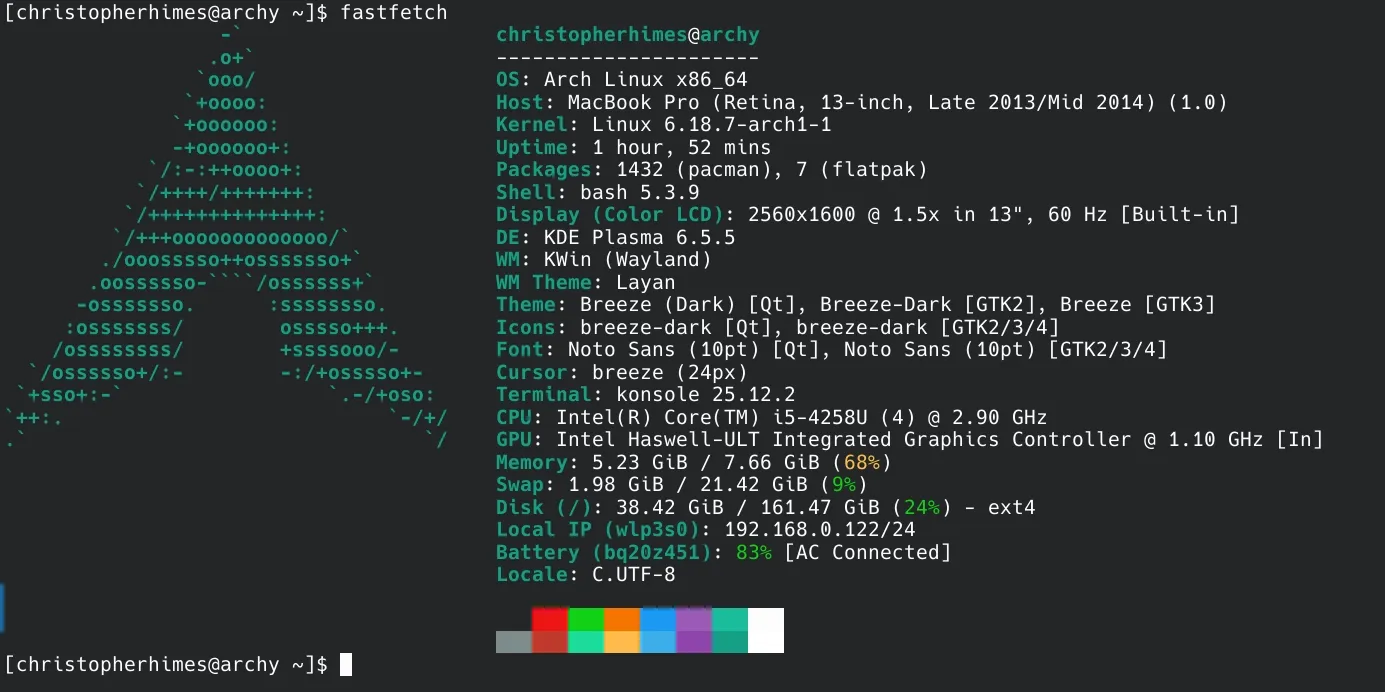
I’m really new to Arch so I’m still learning pacman commands and how best to install the applications I want to use. I have managed to recreate my development environment from my main machine which allowed me to convert this site from Jekyll to 11ty. I installed Obsidian and set my sync up so my vault is accessible on my desktop, phone, and now my laptop.
What else should I do on my laptop with a fairly fresh install of Arch Linux?
Should my main machine be on Arch Linux? I’m a little scared about this idea but I keep coming back.
This is day 19 of 100 Days To Offload.
Comments
This blog uses a Mastodon and webmentions for comments. You can comment by replying on Mastodon/ActivityPub/Fediverse account or webmention.